
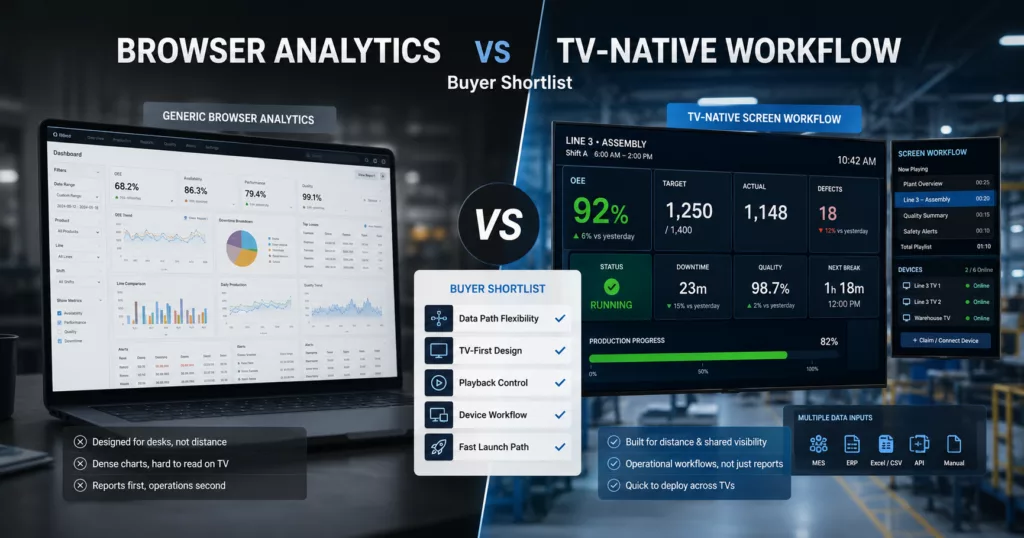
If you are searching for factory dashboard software, you are usually not looking for another analytics tool. You are looking for software that can put useful production information on real screens, keep it readable from a distance, and stay dependable after go-live.
That is an important distinction. Many products can build charts. Far fewer can support the full workflow behind a production screen: TV-first layouts, flexible data inputs, controlled playback, and device management. That is what separates a good demo from a rollout the plant will actually trust.
What buyers usually mean by factory dashboard software
In most buyer conversations, “factory dashboard software” really means software that can do five jobs well:
- show the right KPIs and alerts on a shared screen
- stay readable on a wall-mounted TV
- support the current data reality, whether that is API, local gateway, or manual entry
- control what each screen plays during the day
- stay manageable as the rollout grows from one screen to several
That is why list-style “best dashboard software” articles often miss the real buying question. The issue is not only visualization. It is operational screen delivery.
The shortlist criteria that matter most
Before comparing visual polish, compare the parts that affect long-term rollout success:
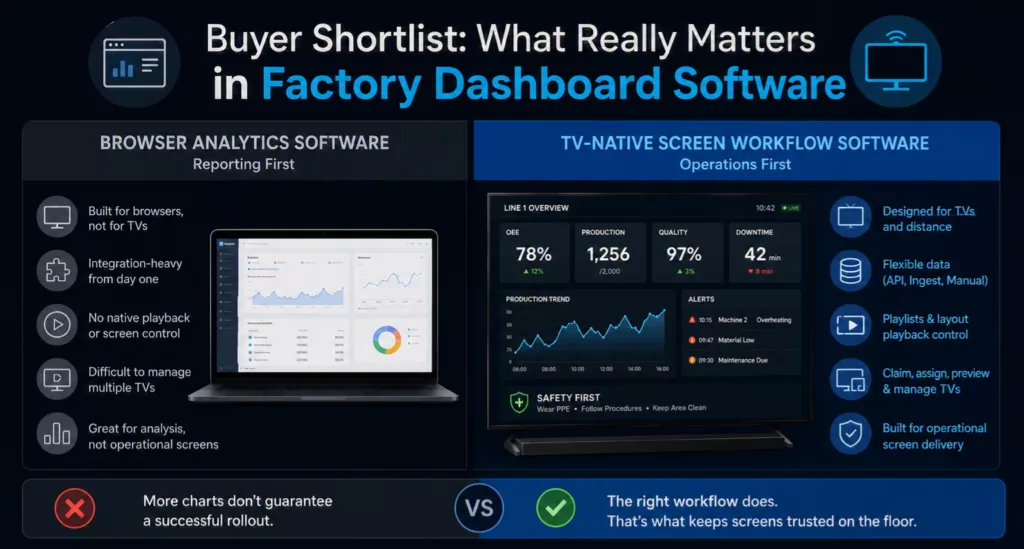
Data path flexibility: can the product support REST API, WebSocket, Ingest, or Manual data sources?TV-first design: can you build a screen for distance, hierarchy, and shared viewing instead of stretching a desktop dashboard onto a TV?Playback control: can you use playlists or an equivalent workflow to control normal screen behavior?Device workflow: can the team claim, assign, preview, and recover TVs without workarounds?Launch path: can the first screen go live without rebuilding the whole backend first?
If a product is weak in those areas, chart count will not save the rollout.
Features that look good but do not predict rollout success
Buyers often overvalue things that matter less in a factory environment:
- long visual feature lists without proof of TV deployment
- chart variety that does not improve at-a-glance visibility
- demo polish that hides weak device or playback workflows
- assumptions that every site has a clean integration path on day one
Those features may help during evaluation, but they do not tell you whether the software will still work after the first month on the floor.
A practical comparison framework
The simplest way to compare factory dashboard software is to separate reporting depth from screen operations.
Use that lens to ask:
- Is this mostly a reporting tool, or a screen delivery tool?
- Can it support one-screen launch now and multi-screen rollout later?
- Does it handle mixed environments where one site needs API data and another starts manual?
- Can the team verify what the TV should show without standing in front of every screen?
If your use case is an operational TV workflow, products built around layouts, playback, devices, and mixed data paths usually fit better than generic BI-first tools.
Supporting product references in the repo include:
Questions to ask every vendor
Use these questions in demos and shortlist reviews:
- How do you support the first site if the API is not ready yet?
- How are physical screens claimed, assigned, and previewed?
- How do you handle one layout versus a rotating playlist of layouts?
- What does the rollout path look like from one line to multiple areas?
- Which parts of the workflow are built for TVs instead of browsers?
Clear answers here usually tell you more than another feature tour.
Try Twinnoverse TV Dashboards Builder for Free
What is the best factory dashboard software?
The best factory dashboard software is the option that fits both your KPI needs and your rollout reality. For production TVs, that usually means strong data flexibility, TV-first layouts, playback control, and device management.
What should factory dashboard software include?
At minimum, it should support a reliable data path, readable shared-screen layouts, normal playback logic, device assignment, and a practical way to verify what each TV should display.
Is manufacturing dashboard software the same as TV dashboard software?
Not always. Some manufacturing dashboard software is optimized for browser reporting, while TV dashboard software is built around shared screens, playback, and device workflow.
Can factory dashboard software start with manual data?
Yes. Manual entry can be a practical first launch path when the screen is needed now and the deeper integration will come later.
Next Step
If you are shortlisting factory dashboard software, compare rollout readiness before visual polish. That usually narrows the list faster than feature by feature chart debates.